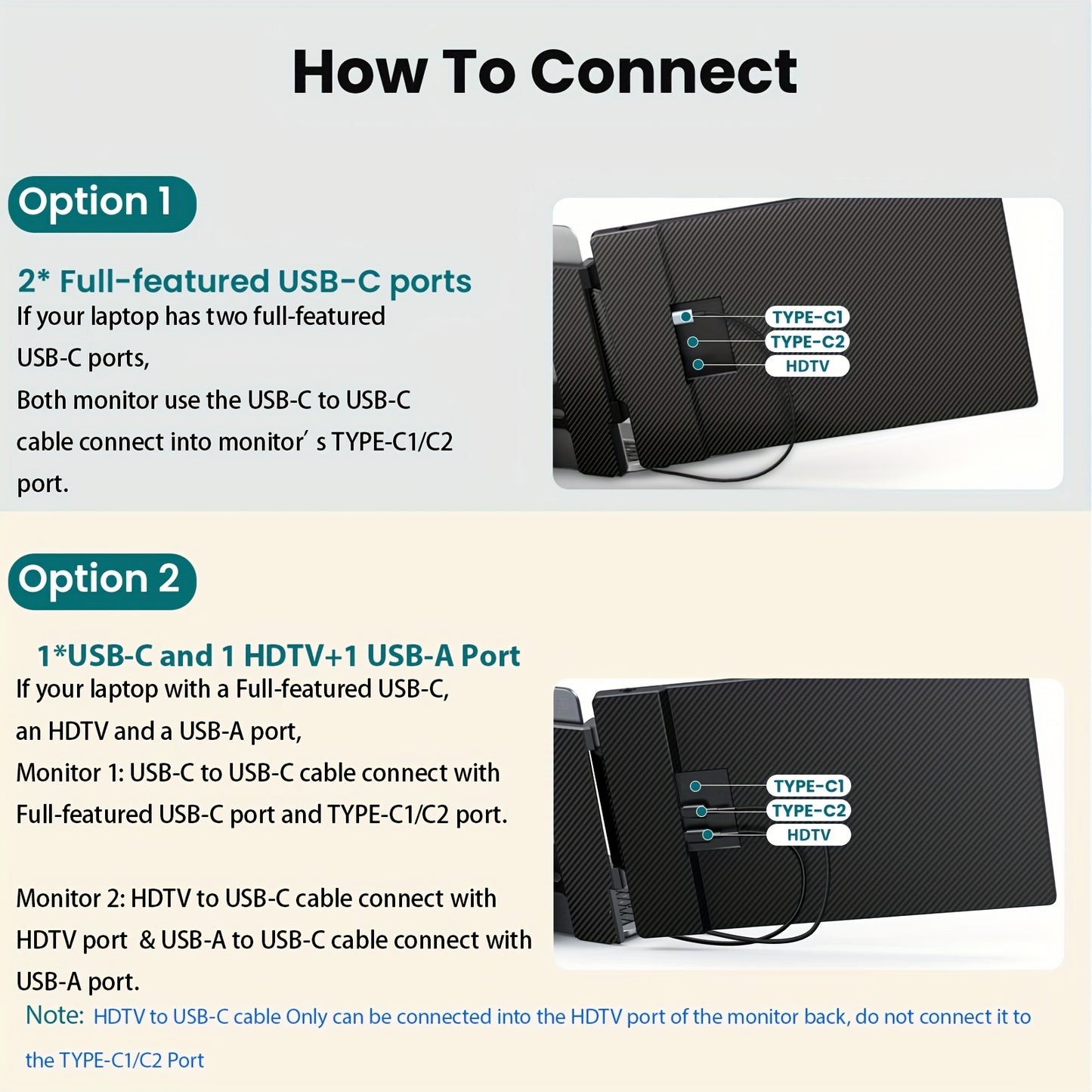
Please check if your laptop's USB-C port is a full-featured USB-C port (like Thunderbolt 3/4 or USB-C with DisplayPort).
Two Cables Connection Method: Cable 1: Use an HDTV to USB-C cable for video. Plug the HDTV end into the laptop's HDTV port, and connect the USB-C end to the bottom HDTV port of the monitor. Use a USB-A to USB-C cable for power, plugging the USB-A end into the laptop's USB-A port and connecting the USB-C end to the TYPE-C1/C2 port of the monitor.
One Cable Connection Method: Plug a USB-C to C cable into the full-featured USB-C port on your laptop. Connect the other end to the TYPE-C1/C2 port of the monitor (for both video and power). Note: Keep this setup for normal use. Plug your laptop's power cable into the top Type-C1 port on the back of the monitor. This will charge your laptop while using the USB-C to C connection for the monitor.